Personal phones at work: how to manage BYOD in your small business
BYOD (Bring Your Own Device) means employees use their personal devices: smartphones, laptops, tablets for work. It cuts equipment costs and suits mobile teams, but it also exposes your business to data security, GDPR and Cyber Essentials risks, and to losing customer relationships when staff leave.
In most small businesses, BYOD starts without anyone deciding on it. A salesperson gives a prospect their personal mobile number; an engineer messages a customer on WhatsApp. This guide explains what BYOD covers, what it means for you as an employer, and how to manage it well, especially for phones.
What is BYOD?
BYOD is a workplace arrangement where employees use their own devices to access work tools and data. It can be formal, with a written policy, or informal, which is where most of the risk sits.
The mobile phone is the device most affected: customer calls, texts, messaging apps, email and mobile CRM. It is also where the line between personal and work life blurs the most.
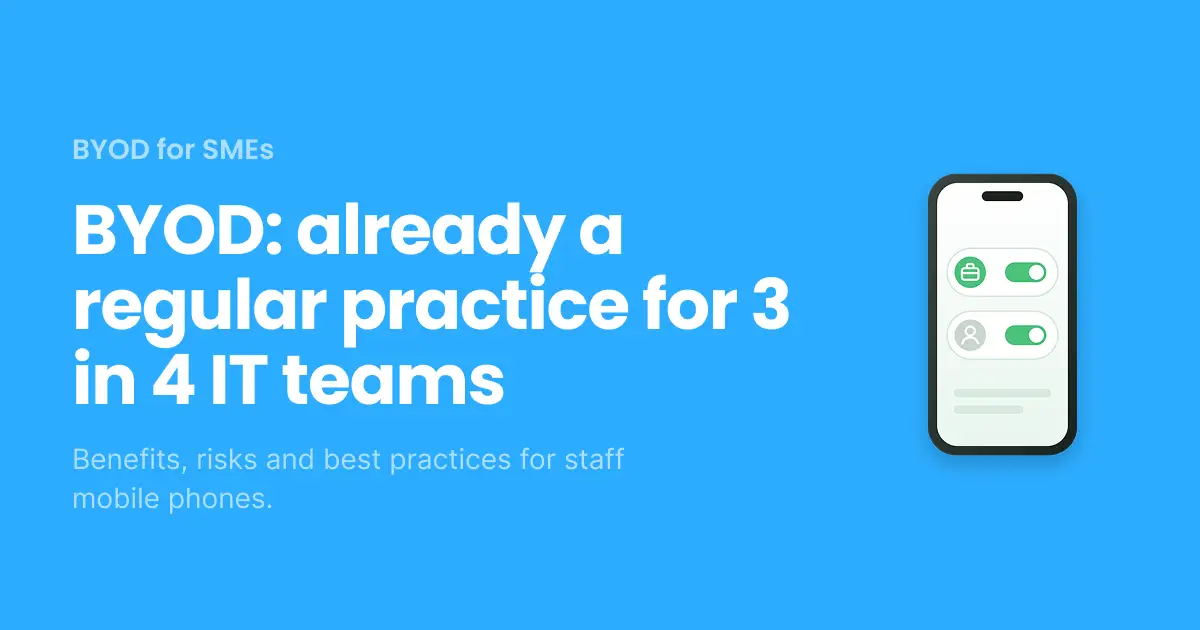
According to Ivanti’s 2025 research, 3 in 4 IT workers say BYOD is a regular occurrence in their organisation, yet only 52% say it is explicitly allowed.
What are the benefits of BYOD?
BYOD lowers hardware costs and makes life simpler for staff, who only carry one device.
- Lower costs: no fleet of handsets to buy, replace and repair.
- Faster adoption: people work on a device they already know.
- Flexibility: ideal for field teams, salespeople and hybrid workers.
- One phone in the pocket instead of two.
What are the risks of BYOD?
The biggest risk is not technical: it is losing control of your data and your customer relationships.
- Data breaches: a lost, stolen or poorly secured phone exposes company email, files and contacts.
- Personal numbers exposed: staff get customer calls in the evening and at weekends, with no way to switch off.
- Customers leave with your staff: when a salesperson moves on, customers still have their personal number, and the call history goes with them.
- Unmanaged messaging: personal WhatsApp and SMS sit outside any oversight or retention policy.
- No visibility: calls can’t be logged in your CRM or measured across the team.
BYOD, Cyber Essentials and UK GDPR
If personal phones access company data, they are part of your security perimeter — and your responsibility under UK GDPR.
For Cyber Essentials, BYOD phones that access work email or instant messaging are generally in scope. In practice, that means a supported, up-to-date operating system, a screen lock, and ideally enrolment in mobile device management (MDM) or app-level management. Requirements were updated in April 2026, so check the current question set with your assessor. The NCSC’s BYOD guidance is the reference point for setting your policy.
UK micro businesses are tightening up: 64% now only allow access to company systems from company-owned devices, up from 58% a year earlier (DSIT Cyber Security Breaches Survey 2025/2026).
On working hours: the UK has no standalone legal right to disconnect yet. The government plans to cover it through a statutory Code of Practice rather than law. Even so, a work number ringing 24/7 on a personal phone is a wellbeing and retention issue worth addressing in your policy now.
BYOD vs COPE vs CYOD: which model fits?
The right model depends on how much control you need and how much you want to spend on devices.
Model | Who owns the device | Personal use | Cost to business | Control |
BYOD (Bring Your Own Device) | Employee | Yes | Low | Limited |
CYOD (Choose Your Own Device) | Business, from an approved list | Depends on policy | Medium to high | High |
COPE (Corporate Owned, Personally Enabled) | Business | Yes, allowed | High | High |
COBO (Corporate Owned, Business Only) | Business | No | High | Full |
For most SMEs, BYOD is the most realistic option, as long as work and personal use are clearly separated.
What should a BYOD policy include?
A BYOD policy sets out who can use what, and what happens when something goes wrong. At a minimum, it should cover:
- Approved devices and operating systems, and how staff get approval.
- Which work apps and data can be accessed from a personal device.
- Security rules: screen lock, updates, multi-factor authentication, backups.
- What happens if a device is lost or stolen, or when someone leaves.
- Which number staff give to customers, and which messaging channels are allowed.
- Contact hours and expectations outside working time.
- Any contribution to phone bills.
How to separate work and personal numbers on one phone
The simplest fix is a business number managed by the company, used on the employee’s own phone. There are three ways to do it:
- Physical dual SIM: needs a second SIM card and a compatible handset; hard to manage across a team.
- eSIM pro: a business mobile line installed remotely, with no physical card, alongside the personal line.
- Business phone app: a second business phone number inside an app, with no new device or contract.
With Onoff Business, each employee gets a business number on their own phone. The number belongs to the company: when someone leaves, it is reassigned and customers keep calling the same number. Calls can be logged in your CRM, and staff can switch their work number off outside working hours.
One phone. Two numbers. No more mix-ups.
Give every employee a business number on their own phone. Work calls stay separate, and the number stays with your company.
BYOD stands for Bring Your Own Device: employees using their personal devices for work.
The main drawbacks are weaker data security, less control over customer communications, and blurred boundaries between work and personal time.
Yes, if they access company data such as work email or messaging. Check the current requirements with your assessor.
With BYOD, the employee owns the device. With COPE, the business owns it and allows personal use.
Yes. The simplest option is a VoIP business number: a second, company-managed number that runs in an app on the phone you already have, with no extra SIM card or handset. Business calls and texts stay separate from your personal line, and you can switch the number off outside working hours. With Onoff Business, each employee gets a business number on their own phone, and the number stays with the company when they leave.