











HubSpot phone integration: every call, automatically in your CRM
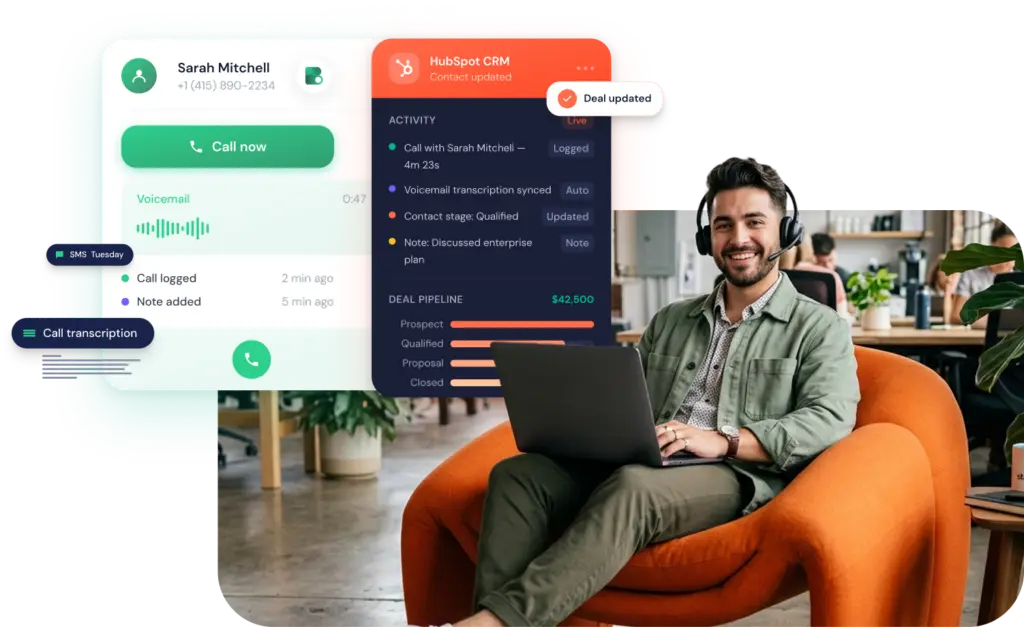
Onoff Business gives your team a business phone system that lives inside HubSpot: click to call any contact, log every call, SMS and voice mail to the right deal automatically, no manual entry.


Everything lands in HubSpot
Inbound, outbound and missed calls plus SMS log automatically to the HubSpot record, with date and duration. Your reps sell, the CRM fills itself in.
Call & SMS in one click
The Onoff Business Chrome extension turns any number shown in HubSpot into a call button. Two minutes to install, no copying and pasting.
No unknown numbers, no unlogged contacts
Your HubSpot contacts live in the Onoff Business mobile app, so your team has the record with them wherever they are, in a client’s office, between meetings, on the road.
Report on real numbers
Call volume, answer rate, time on the phone: your HubSpot dashboards run on real call data, not on what reps remember to log.
What are the benefits of Onoff Business’s integration with HubSpot?
Without a connected phone system, your calls and your HubSpot records live in two separate places, and someone has to join them up by hand. Onoff Business closes that gap.
- Reps forget to log calls, SMS, voice mails
- Reps lack context when following up
- Managers lose visibility into rep activity
- Reporting becomes unreliable
- Every call, SMS, voice mail logs itself automatically
- The full interaction history sits on the HubSpot record
- Managers see every call, from every rep, as it happens
- Clean, accurate data feeds every report
FAQ
It’s an integration of your Onoff Business cloud phone solution and your HubSpot CRM, so every conversation your team has with a client ends up in HubSpot on its own. Calls, SMS and voicemails are logged automatically against the right contact, company and deal, no one has to remember to write up a call or copy a number across. Sales reps get their pipeline activity recorded as they work, and anyone else in the business who talks to clients by phone gets the same, so HubSpot stays a complete record of the relationship rather than a partial one.
Yes, and send SMS too. With the Onoff Business Chrome extension, any number on a HubSpot record becomes clickable: click it, choose call or text, and you’re connected without leaving the page. The call or message runs through Onoff Business, and lands back in HubSpot as a logged activity on its own.
The CRM integration is available on the Advanced and Max plans. Advanced is €29 per licence/month (€26 on annual) and covers two integrations; Max is €49 (€44 annual) with unlimited integrations. Connect (€19/€15) includes no integrations.
A few minutes: the guide describes it as a few clicks, and the integration is active immediately once you confirm. Realistically, budget a little longer if you’re deciding which numbers to sync and setting the time zone.
Access to both Onoff Business and HubSpot, plus an Onoff Business Advanced or Max plan. For click-to-call you need Chrome with the Onoff Business extension installed and signed in; the extension works on all plans: Connect, Advanced and Max. Calls run from the Onoff Business, so no SIM, desk phone or extra hardware is needed for VoIP, just a stable Wi-Fi or 4G/5G connection.
In three steps, from your Onoff Business admin interface. Open Integrations & API, find HubSpot in the list and click Integrate. You’ll be sent to HubSpot to pick your account, approve the permissions and confirm. Then choose which numbers to include: filter by department, add or remove them all at once, or select individually. Once you validate, the integration is live straight away, and you can add or remove users, change settings or switch it off at any time.
Yes. You select the numbers at setup and can add or remove them at any time under Integrations & API > HubSpot > Settings > Manage. There’s also an “Automatically integrate new numbers” option so newly created or reassigned numbers join the integration without manual work.
Business telephony that plugs straight into HubSpot
Two minutes to set up. Your calls and SMS land in HubSpot from day one.
Other integrations
Odoo
Centralize all your business communications in Odoo CRM and give your teams complete visibility into every customer interaction.

Salesforce
Synchronise your business telephony with Salesforce in one click to analyse, optimise and automate your sales processes.

Pipedrive
Automatically record all user interactions (calls, SMS) in Pipedrive for optimal team productivity.
