

Call analytics and reporting for your whole team
How many calls did your team miss last week? Who is making the most outbound calls, and how long do those conversations last? Onoff Business brings call analytics for every business number and every user into one dashboard, so you can manage your team on real figures rather than gut feeling.
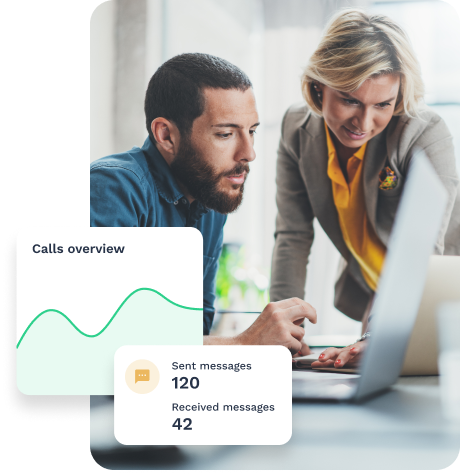
Numbers, not guesswork
Without call analytics, managing your team’s phone activity comes down to guesswork. Onoff Business gives you a clear view of every call and SMS, by user, by label and by date range.
- Each rep’s activity stays unclear
- Missed calls go unnoticed
- Numbers and teams are hard to compare
- Decisions rest on gut feeling
- Calls and SMS tracked for every user
- Missed-call peaks spotted at a glance
- Activity compared by number, team or country
- Clear KPIs and downloadable reports
The 7 call metrics in your dashboard
Answered inbound calls · Answered call duration · Missed inbound calls · Outbound calls made · Outbound call duration · SMS sent · SMS received
Filter these KPIs by user, by label (such as Sales or Support) or by time period to see your team’s phone activity at a glance.
The call metrics you can track
Every call made or received on your Onoff Business numbers feeds into the Statistics tab of your admin interface.
- Inbound calls: number of calls answered, total duration of answered calls, number of missed calls
- Outbound calls: number of calls made, total duration of outbound calls
- Messages: SMS sent and received
A call analytics dashboard built for managers
The Statistics tab is organised into 3 sections. Use the filters to focus on a specific user, a label such as Sales or Support, or a time period. Need the raw data? Download a detailed report straight from the dashboard.
KPIs: your headline figures at a glance
Charts: how each metric changes over time
Tables: detailed figures by period, user and label
What your teams do with it
Sales teams: track outbound call volume and conversation time per rep, spot dips in activity early and coach on real data.
Customer service: see when missed calls pile up and adjust rotas before customers give up.
Managers and directors: compare call activity across numbers, teams or countries without building a spreadsheet.
Go further with your call data
Your statistics show where to look. These features help you act on it.
Listen back to conversations with call recording.
Coach reps live with call whispering.
Sync calls with your CRM: HubSpot, Salesforce, Pipedrive, Odoo CRM, and other integrations.
How many calls are you missing?
Track missed calls by user, team and time period, and reorganise before you lose a customer.
What is call analytics?
Call analytics means measuring your business’s phone activity: how many calls come in and go out, how many are missed and how long conversations last. In Onoff Business, this data is collected for every user on your account and displayed in the Statistics tab of the admin interface.
What call metrics can I see in Onoff Business?
The Statistics tab shows the number and duration of answered inbound calls, the number of missed inbound calls, the number and duration of outbound calls, and the number of SMS sent and received. You can filter by user, label and time period, and view the data as KPIs, charts or detailed tables.
How do I track missed calls across my team?
In the Statistics tab, select missed inbound calls, then filter by user, by label (such as Sales or Support) or by time period. You’ll see where calls are going unanswered and can adjust your set-up, for example with an IVR that rings several team members at once.
How do I calculate my call answer rate?
Your answer rate is the share of inbound calls your team picked up: (answered inbound calls ÷ total inbound calls) × 100. Onoff Business shows answered and missed calls in the Statistics tab, so you can work it out per user, per label or per period.
Can I export my call reports?
Yes. From the Statistics tab, download a detailed report using the button at the top right of the dashboard.
Is Onoff Business suitable for call centre analytics?
Onoff Business is built for sales and customer-facing teams in SMEs rather than large contact centres. Its reporting covers the core call centre metrics (call volumes, missed calls and call duration per agent) without the complexity of a dedicated workforce management platform.
What's the difference between call analytics and call tracking?
Call analytics, as provided by Onoff Business, measures your team’s phone activity: volumes, durations and missed calls. Call tracking attributes each inbound call to the marketing source that generated it, such as an ad, web page or campaign. One shows how your team handles calls, the other where those calls come from.