

IVR Phone System and Auto Attendant
Greeting is the Onoff Business interactive voice response (IVR) system: an auto attendant that answers every call, plays your welcome message and routes callers to the right team from a simple keypad menu. Set your whole phone system up from the admin console in a few minutes: no engineer, no on-site equipment, no PBX to maintain.

Set up your IVR phone system in a few clicks
An IVR system is essential for any company that wants to handle calls professionally without adding headcount. Choose from a full set of widgets and build a phone menu that fits how your business actually works: welcome and closing messages, keypad options, call routing rules, voicemail and on-hold music. You control every step of the caller’s journey.
Set your phone system up in minutes so your sales and customer service teams can spend their time on the calls that matter.
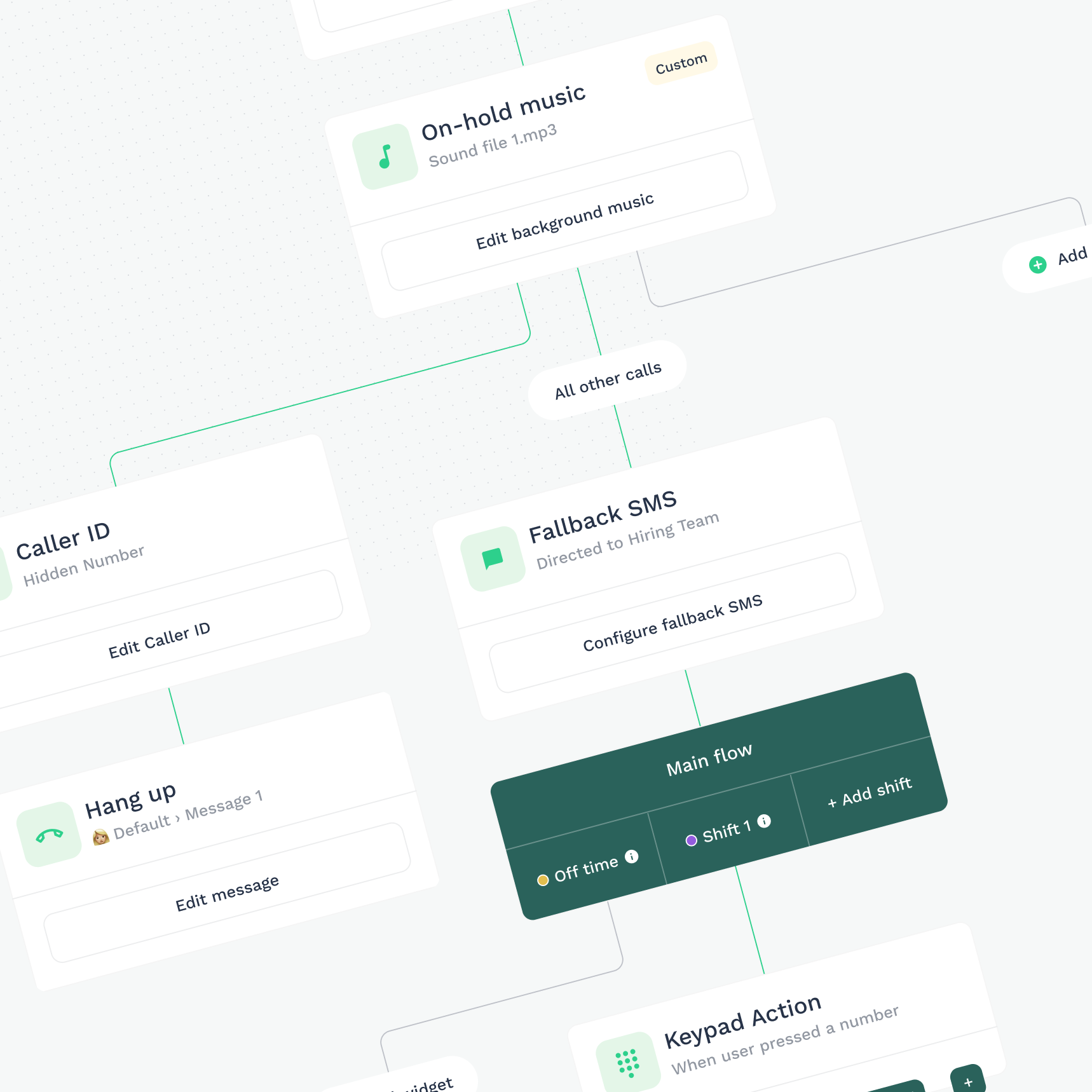

Why teams use the Onoff Business auto attendant

Every call gets an answer
Your IVR answers on the first ring, every time. Smart call routing tries an available colleague, then the next, then the whole team, and sends the caller to voicemail only when nobody can pick up. Out of hours, they hear your message instead of an endless ring tone. No missed calls, no lost leads.

A custom IVR menu tailored to your business
Record your own welcome message, or type it and let text-to-speech read it out in a natural voice. Add on-hold music, department announcements and a closing message, so callers hear the same brand from the first second to the last. Change any of it from the admin console in under a minute: no studio booking, no voice talent, no support ticket.

Real-time call tracking and call logs
Every call lands in the call log the moment it ends: who rang, which menu option they chose, how long it lasted, whether anyone picked up. Filter by date or status to find the hours you’re missing calls and the departments carrying the load, then fix the routing before it costs you a customer.
Discover all the possibilities of your Greeting number.
Customization of the greeting
You can choose to play background music or a personalized message that reflects your company’s image. It’s all up to you! You decide everything: the flow, the music, the messages, the redirects, etc.
Call log
Easily access details of each interaction: identify calls, view caller information, date, time, and call duration. Determine if calls were missed, answered, or if a voicemail was left.
Call distribution
You can choose simultaneous distribution, where multiple numbers ring simultaneously for a quick response, or cascade distribution, which redirects calls in a defined order to the right recipient.
Text to speech (TTS)
Text-to-speech converts text you’ve written into an audio message with a natural voice. Whether it’s a welcome message, keypad options, voicemail, you can use it everywhere !
Smart call routing
Decide what happens to every call before it arrives. Ring one number, ring several at once, or ring them in a set order until someone answers. Unanswered calls fall through to the next rule rather than to silence.
Interactive menu by keypad
Set up the keypad to allow callers to quickly choose their option: press 1 for technical support, 2 for sales, or 3 for general inquiries.
On or Off mode
You can enable or disable the greeting number as needed. Choose “On” to activate the greeting number and “Off” to deactivate it.
Voicemail management
To ensure no customer call goes unanswered, configure voicemail in your greeting. This allows callers to leave a message if no one is available to answer.
Everything your IVR menu can do
Multiple IVR menus and local numbers
Create a separate IVR menu for each department, brand or location, and attach local UK numbers so callers see a familiar area code. Local presence, centralised call management.
Feature configuration
Switch individual features on or off: welcome messages, call forwarding, voicemail, and configure each one to suit how that particular number is used.
IVR greeting and on-hold music
Choose background music or a personalised message that reflects your brand. You decide everything: the flow, the music, the messages, the redirects.
Call log and call history
Open the detail of every interaction: caller, date, time and duration, and whether the call was answered, missed or went to voicemail.
Simultaneous and cascade call distribution
Choose simultaneous distribution, where several numbers ring at once for the fastest possible pick-up, or cascade distribution, which passes the call down a defined order until it reaches the right person.
Text-to-speech IVR messages
Type your message and text-to-speech turns it into audio in a natural voice. Use it for welcome messages, keypad options and voicemail prompts, and edit the wording whenever your offer changes.
Voicemail and professional voicemail greetings
Set a professional voicemail greeting per department, so nobody reaches a generic answerphone. Callers can leave a message when the team is unavailable, and the recording appears in the call log with the rest of the call detail.
Welcome and closing messages
Open with a professional greeting and close the call properly. A short, well-written welcome message sets expectations, and a closing message leaves the caller with your opening hours, your website or whatever you want them to remember.
Interactive keypad menu (phone tree)
Set up the keypad so callers choose their own route: press 1 for technical support, 2 for sales, 3 for accounts. Keep the phone tree short: three or four options at the top level is usually enough, and nest a second level only where a department genuinely splits.
On/Off mode
Turn the IVR number on or off whenever you need to. Useful for seasonal lines, campaign numbers and office closures.
Opening hours and out-of-hours routing
Add up to ten schedules, so your IVR behaves differently during opening hours, over lunch, out of hours and on bank holidays. Callers who ring at 7pm hear a message that makes sense at 7pm.
Smart call routing
Customize call flows to effectively manage unanswered calls. Ensure callers receive appropriate assistance even if their initial call goes unanswered.
Still routing every call through one mobile?
Set up an IVR menu, opening hours and voicemail on your business number in about ten minutes.
More features

Leaving the team? Reassign a number to another colleague in just a few clicks.

Transfer your current business numbers to Onoff Business in a few simple steps.

Purchase credit and provide flexibility to your teams for making international calls.
What does IVR stand for?
IVR stands for interactive voice response. It is the automated menu that answers an incoming call, plays a recorded or text-to-speech message, and lets the caller choose where to go next using their keypad: the familiar “press 1 for sales, press 2 for support”. The point of an interactive voice response system is to get the caller to the right person on the first attempt, without anyone in your business having to act as a switchboard. For a small team, that is the difference between a call reaching the one person who can help and bouncing around three colleagues before someone gives up.
How does an IVR work?
When someone rings your business number, the IVR picks up before any human does. It plays your welcome message and presents the menu you have built. The caller presses a key, and the routing rules attached to that key decide what happens next: ring one number, ring several at once, ring them in cascade until someone answers, or go to voicemail.
With Onoff Business, you build your own rules from the admin console. There is no code, no telephony consultant, and no waiting on a support ticket to change a message. If your opening hours change on Monday, you change them on Monday.
What is the difference between an IVR and an auto attendant?
In everyday use the two terms are close to interchangeable, and most providers sell them as the same feature. Where people do draw a line, it is usually about depth. An auto attendant answers the call and transfers it to a person or a department, and that is the whole job. An IVR system can do more than transfer: multi-level menus, different behaviour by time of day, routing that depends on which number was dialled, and messages that give the caller information without involving anyone at all.
Is an IVR only for large call centres?
No, and this is the most common misconception about the technology. Interactive voice response earned its reputation inside large contact centres, because for decades it required hardware that only a large contact centre could justify: a physical PBX, an installation project, a maintenance contract and someone on staff who understood it. That cost is what kept phone systems out of reach for smaller companies, not the technology itself. Cloud IVR removed the hardware. A two-person consultancy can now run the same professional auto attendant as a 200-seat call centre, from a mobile app, for a monthly subscription. In many ways it matters more for a small team: a contact centre has people whose job is answering the phone, whereas in a five-person business the person answering is the person who should be doing something else.
How much does an IVR system cost?
With a cloud provider, an IVR is part of a subscription rather than a separate purchase. There is no switchboard to buy, no installation project, no maintenance contract and no engineering visit per site. With Onoff Business, the IVR comes with the Advanced plan at €29 per licence per month, or €26 on an annual subscription. That covers the interactive keypad menu, schedule management, simultaneous and cascade call distribution, smart call routing, and your welcome and closing messages. One Greeting number is included, and additional Greeting numbers are €6 per month each.