

Click-to-call Chrome extension: call and text from any web page
With the Onoff Business extension, every phone number on a web page becomes clickable. Call or send an SMS from your business number in one click, without copying the number or leaving your CRM.
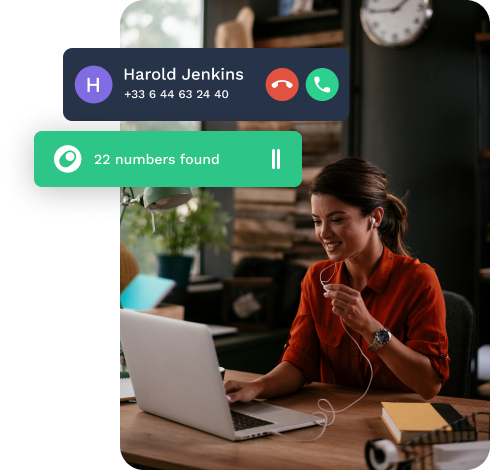
What does click-to-call change for your team?
Without it, every call starts with a number copied from a web page and retyped on a phone. With the Onoff Business extension and Desktop app, you click the number on screen and the call starts.
- Numbers copied and retyped by hand
- Dialling errors and wrong numbers
- Constant switching between CRM and phone
- Calls made from personal lines
- Call any number on a web page in one click
- Send an SMS from the same number
- Stay in your CRM from lookup to call
- Always call from your business number
Call and text from any web page
Turn phone numbers into one-click calls and SMS, using your business number. Click-to-call is available in the Onoff Business Chrome extension and the desktop app, and included in all plans.
🧩 Chrome extension
Click any phone number on a web page, in your CRM, inbox or any website, to call or text without leaving the page. Add to Chrome.
💻 Desktop app
Call and text from your computer with the Onoff Business desktop app, with click-to-call built in. Download the desktop app.
How to install the Onoff Business click-to-call extension & desktop app
- Open the Chrome Web Store and search for “Onoff Business Click-to-Call & SMS” or download it here.
- Click Add to Chrome and confirm.
- Pin the extension to your toolbar so it’s always visible.
- Click the extension icon and log in with your Onoff Business credentials. If two-factor authentication is enabled, complete the verification step.
- Turn on Number highlighting and/or Pop-up window, then choose the number you want to call from.
Turn every call into a business insight
More features

Send your professional SMS directly from the Onoff Business mobile application to any number.

Make your professional calls directly from the Onoff Business mobile application to any number.

Onoff Business allows you to prepare your SMS and schedule their sending for a later time.
Who can use the click-to-call extension?
The extension is available to all Onoff Business customers with an active account.
Which browsers does it work on?
Google Chrome and other Chromium-based browsers.
Do I need to log in every time?
No. Use your usual Onoff Business credentials, and the extension stays logged in for a period of time.
Can I send SMS as well as calls?
Yes. Click any highlighted number to call it or send an SMS from your business number.
Does it work with my CRM?
Yes, on any web CRM that displays phone numbers, such as Salesforce, HubSpot, Pipedrive or others. To log calls automatically in your CRM, connect the matching integration.