

Business landline numbers that ring wherever your team works
Give every employee a local UK business landline number in a few clicks. Calls ring on their mobile, laptop or tablet, no copper line, no desk phone, no engineer visit. Manage every number from one admin dashboard.
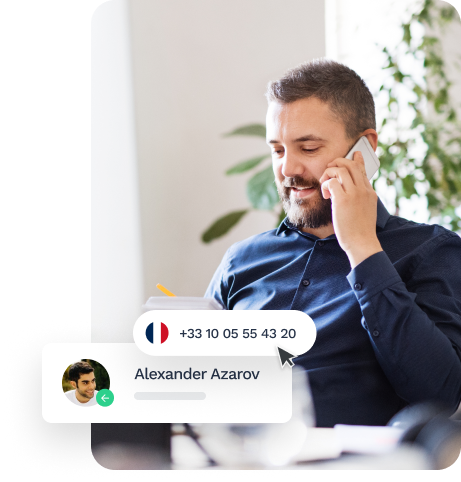
What is a virtual business landline number?
A virtual business landline number is a standard UK geographic number, such as 020 for London or 0161 for Manchester, that runs over the internet instead of a copper phone line. Customers dial it like any landline. Your team answers it in the Onoff Business app, from the office, at home or on the road.
Because the number lives in the cloud, it isn’t tied to a desk or a building. Move it between employees, keep it when you change office, and add new numbers in minutes as the team grows.
Why UK businesses switch to virtual landline numbers
A virtual landline gives you everything a traditional business line does, without the desk phone or the copper wire behind it.
- Your business landline, on your mobile. Make and take calls on your landline number from the app. Your personal number stays private, and customers always see the company number.
- A local presence in any city. Pick an area code where your customers are. A London or Manchester number builds trust and lifts answer rates on outbound calls.
- No copper line, no hardware. There’s nothing to install and no engineer to wait for. Your number keeps working through the PSTN switch-off, with no risk of a dead line.
- Numbers that stay with the business. Give a number to a new starter, move it when someone changes role and take it back when they leave, all in a few clicks.
- Costs you can see. One subscription per number, tracked per user in the dashboard, with no line rental or maintenance charges.
- Connected to your CRM. Every call on your business telephone number logs automatically in HubSpot, Salesforce, Pipedrive or Odoo CRM.
How can I assign landline numbers with Onoff Business?
- Log in to your Onoff Business account;
- Click on the profile of the employee to whom you want to assign a fixed number;
- Then click on the + button in the “Numbers” section;
- Click on “Landline number” in the list;
- Select the city in which you want the number to be saved;
- Select the number you wish to assign from the available options;
- Finalise the subscription and proceed to payment;
- Find the profile of your collaborator at the bottom of the page of your user list.
Discover how to assign mobile numbers!
With Onoff Business, you can assign business numbers in a few clicks.
More features

Assign business mobile phone numbers to your employees in a matter of clicks.

Buy call credits and give your teams the flexibility to call premium numbers and make international calls.

Record and retrieve past calls for playback and analysis. / Record, download, and listen to past calls for analysis.
Turn every call into a business insight
What is a virtual landline number?
It’s a standard UK geographic number, such as 020 or 0161, that runs over the internet instead of a copper line. Callers dial it as usual, and you answer it in an app on any device.
Do I still need a landline for my business?
You need a landline number, not a landline. Customers still trust a local 01 or 02 number, but it no longer needs a copper line or a desk phone behind it.
Should my business use VoIP or a landline?
Traditional landlines are being retired with the PSTN switch-off, so new business lines run over the internet anyway. A virtual landline number keeps the local number customers trust and adds mobility, call recording and CRM logging.
Can I divert my business landline to my mobile?
There’s no need to divert. Your business landline number rings directly in the Onoff Business app on your mobile, so you never miss a call when you’re away from your desk.