


Unlock new possibilities with the Onoff Business Public API

We’re thrilled to announce the launch of the Onoff Business Public API (V1), a powerful new tool designed to help you integrate your communication and employee data seamlessly with your existing internal systems. This initial release focuses on Member and Phone Number Management, enabling powerful automation and synchronization workflows for users on the Max Plan.
Updated on 10 February 2026
public api

Unlock new possibilities with the Onoff Business Public API

public api

We’re thrilled to announce the launch of the Onoff Business API, a powerful new tool designed to help you integrate your communication and employee data seamlessly with your existing internal systems.

This initial release focuses on Member and Phone Number Management, enabling powerful automation and synchronization workflows for users on the Max Plan.

What Can You Do with the API?

The V1 API empowers your IT and HR teams to manage employee and number assignments directly from your own applications, streamlining critical business operations.

Key Capabilities:

  • 👥 Member Management:
    • List, Create, Edit, and Delete members (employees) in your Onoff Business account.
    • This is perfect for keeping your internal HR systems synchronized with your Onoff employee list. We provide details such as first name, last name, email, and department.
  • 📱 Phone Number Management:
    • List your numbers (assigned or unassigned) from your pool
    • Assign a number to a specific member, complete with automatic license checks

Real-World Scenarios (Use Cases):

ScenarioGoal
Syncing EmployeesKeep your internal HR system automatically aligned with employees created in Onoff.
Automated OnboardingCreate new employees in Onoff via your IT system during onboarding, and assign a business phone number.
Custom DashboardsBuild internal tools that query real-time member and number data directly from Onoff (e.g., Sales Dashboards).
License TrackingMonitor license utilization by listing members and their assigned numbers.

Secure & Standard Authentication

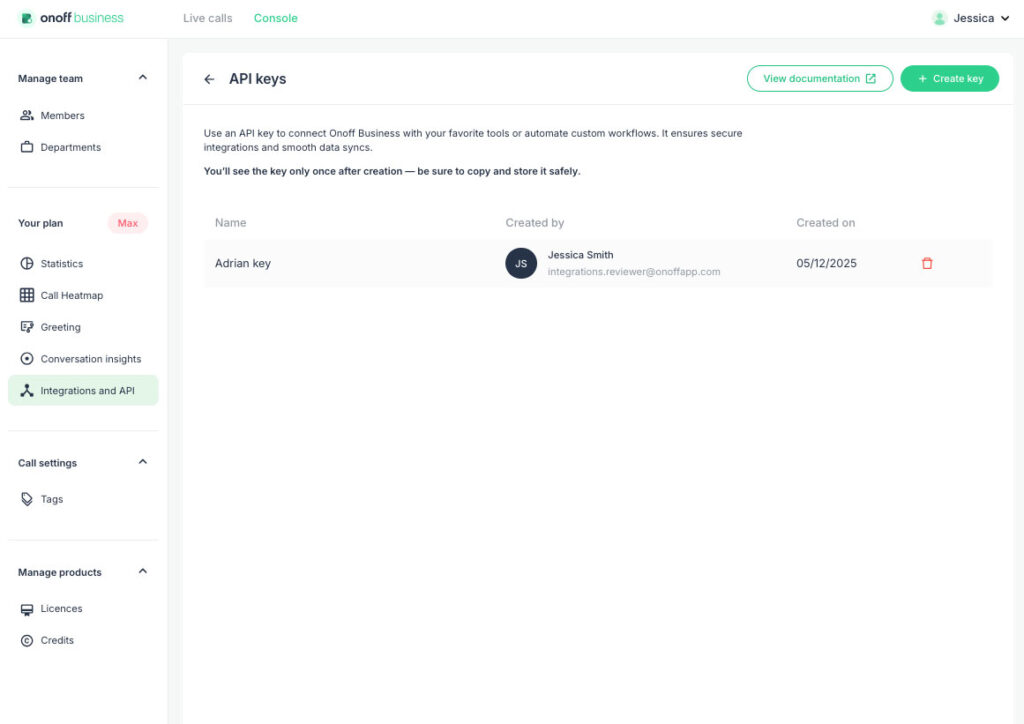
Access to the API using custom API keys

  • Access Control: The API is exclusively available to Max Plan users. Management (token generation, settings) is restricted to Admin & Owner roles. Team Leads and Users can view the API page but cannot manage settings.
  • Access Point: A new API menu item, labeled “New” and “Max Plan only,” is now available after the Integrations section in your B2B Console.
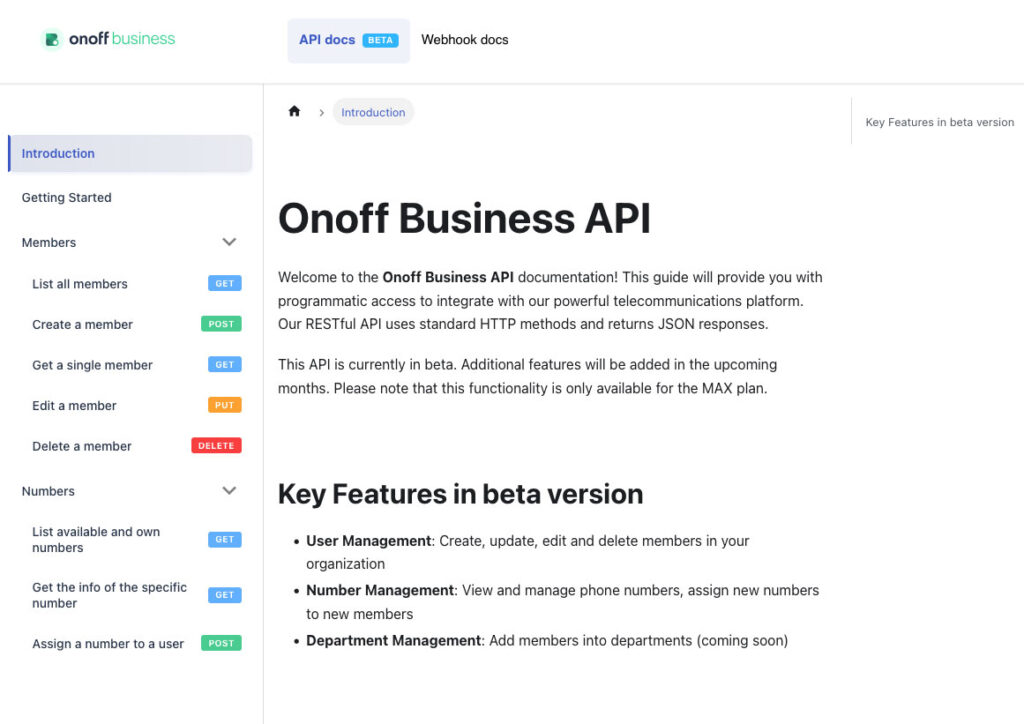
  • Developer Link: This page provides access to the full developer documentation (Swagger/OpenAPI reference) for technical details: https://docs.onoffbusiness.com/api/introduction.
Fonctionnalité API public Onoff Business

Don't forget our Webhooks!

The Public API is excellent for pulling and pushing data (like querying members or creating an employee). For instant, event-driven updates, remember that Onoff Business Webhooks remain a critical tool for your integration strategy.


Webhooks allow Onoff to notify your systems immediately when a key event happens, minimizing the need for constant polling. Used together, the Public API and Webhooks provide a complete integration solution.


🔗 Explore our Webhook documentation here: https://docs.onoffbusiness.com/webhook/introduction

What's next? A peek into future scope

Future releases are planned to include robust expansions such as:

  • Department Management, Calls Management (listing, retrieving metadata, and downloading recordings/voicemails), and SMS Management (listing and sending); 
  • Contact Management (listing, creating, editing, and deleting contacts); 
  • Tag Management and Statistics Insights (usage, failure rates, and top endpoints).

Ready to start integrating? Find the full developer documentation here: https://docs.onoffbusiness.com/api/introduction

Documentation API public Onoff Business

Want help with telephony for your business ?

One of our experts can advise you :

Did you like this article ? Feel free to share it with your network

Articles récents :

Call forwarding decides who answers when the person a customer wanted can't. Learn the five codes that control it, the setups that keep enquiries from going to voicemail, and how to find the divert nobody remembers turning on.

Most sales coaching arrives too late to change the call that needed it. This guide to call monitoring for sales managers covers when to listen, whisper or barge, how to coach reps mid-call without undermining them and how to stay on the right side of UK GDPR.
Is call recording completely lawful in the UK? Announcement wording, privacy notice text, staff notification and a retention schedule, plus eleven situations and where each one stands.