Interactive voice response is the system that answers a business call automatically, plays a message, and sends the caller somewhere based on what they press or say. Most people see it as “press 1 for sales, press 2 for accounts”.
The technology is quite old. What has changed is who can run it. Until fairly recently an IVR meant a PBX in a cupboard and an engineer on a day rate. Now it is a configuration screen, and a company of four people can have call routing that behaves like a company of four hundred. It also means a great many small businesses are running menus that were set up once, never revisited, and are quietly costing them calls.
Bad menus are almost never a technology failure. Someone sat down with an org chart, turned each department into a keypad option, recorded it, and never rang the number again.
What follows covers what an IVR is, how it differs from the things it gets confused with, when a business genuinely needs one, and how to design, write, schedule and test a menu that does not annoy the people you want to hear from.
What IVR stands for
IVR stands for interactive voice response. You will occasionally see it written as a voice response unit (VRU) or an interactive voice server: they refer to the same thing.
The distinction that matters is between an IVR and voicemail. Voicemail records the caller and ends the interaction. An IVR keeps the caller in the system and does something with what they tell it.
How an IVR works
A call arrives on your business number. Instead of ringing a handset, it hits the IVR first.
The system answers and plays a greeting. This is either an audio file someone recorded, or text you typed that the platform reads aloud using text-to-speech. It then waits for input.
That input arrives in one of two ways. The older and still dominant method is DTMF: dual-tone multi-frequency signalling. Pressing 3 on a keypad sends two simultaneous audio tones down the line, and the system recognises the pair as a 3. It works on any phone, on any network, and has done since the 1960s. The alternative is speech recognition, where the caller says “accounts” and the system transcribes it. Speech input tests well with callers and badly with accents, background noise and hands-free car kits.
Whatever the input, the IVR then applies routing rules. A press of 1 might mean:
- ring a specific person
- ring a group of people at once, or in sequence
- put the caller in a queue for a team
- play another menu
- send the call to voicemail
- read out information the caller asked for
Most systems layer conditions on top. Time of day and day of week are the common ones, so calls at 19:00 on a Friday behave differently from calls at 11:00 on a Tuesday. Better systems also check whether anyone is actually available before routing, rather than ringing an empty desk for forty seconds.
Everything gets logged: which option was chosen, how long the caller waited, whether they hung up. This log is the most useful and least used part of an IVR.
IVR, auto attendant and call queue
These three get used interchangeably in marketing copy, and they are not the same. An auto attendant answers and transfers. It plays a menu and connects the caller to an extension or a group.
A true IVR collects information from the caller and acts on it: entering an account number and hearing a balance, keying in an order reference and getting a delivery date. That requires the phone system to talk to a database.
A call queue holds callers waiting for a team, plays hold music, and distributes them to whoever frees up first.
Almost every “IVR” sold to a small business is an auto attendant with a call queue behind it. Full self-service IVR earns its complexity at volumes most SMEs will never see.
When a business actually needs one
The signals are fairly consistent:
- one mobile is taking every enquiry, and whoever holds it becomes a switchboard
- calls regularly reach the wrong person and get walked across the office
- the same number serves sales, support and accounts
- the team is spread across sites or working from home, so there is no physical office to route around
- out-of-hours calls currently go nowhere
It cuts the other way too. A sole trader taking twelve calls a week will lose more from the friction than they gain from the routing. So will any business whose callers are in a hurry by definition: emergency trades, urgent care, anything where the person ringing has a leak or a deadline. Those calls should reach a human on the first ring.
Designing a menu callers will use
Start with the calls you already get
Before touching any settings, pull last month’s call records and sort them by why people rang.
In most small businesses, three or four reasons cover around eighty per cent of the volume. Those reasons are your menu. Everything else goes behind a single catch-all option.
If you have no call records to sort, spend a fortnight writing down the reason for every inbound call on a shared note. It is tedious, and it will change what you build.
The mistake this prevents is designing around your internal structure. Your callers do not know that fulfilment and customer service are different teams. They know they have not received their order.
Four options, one level
Four options at a single level is a workable ceiling for most small teams.
Every option costs the caller listening time, and they cannot skip ahead. Every extra layer costs them patience. A caller who has pressed 2 and then been offered four more choices is measurably closer to hanging up.
A phone tree is what you get when menus lead to further menus. Large organisations need them because they genuinely have thirty destinations. If you find yourself building a third level, the honest answer is usually that you need a second phone number rather than a deeper tree: a separate support line printed on invoices, say, rather than a submenu buried under option 3.
Order by frequency, not hierarchy
Callers stop listening as soon as they hear something plausible. If seventy per cent of your calls are new sales enquiries, sales is option 1, regardless of where sales sits in the company.
What each key can do
On most cloud systems a keypad option can route to one person, a group ringing together or one after another, a queue with hold music, a shared or individual voicemail box, a recorded announcement, an external number, or another menu.
Announcements are the underused one. Opening hours, the address, a delivery status line, a bank holiday notice. Any question you answer more than twenty times a week that has a fixed answer can be a recording, and the caller gets it in fifteen seconds rather than waiting for someone to say the same thing again.
Writing the script
Read every line aloud before you record it. If you run out of breath, it is too long.
Put the description before the number, always. “For sales, press 1” rather than “Press 1 for sales.” The caller needs to know what they are listening for before they are told what to do about it, and reversing that order makes them replay the whole menu.
Cut the greeting that thanks people for calling and assures them their call is important. It adds six seconds to every single call and persuades nobody.
Name things the way callers name them. “Accounts” beats “finance operations”. “Help with an order you’ve already placed” beats “post-sales support”.
Four scripts to adapt
Business hours, small sales and support team
“Hello, you’ve reached [Company]. For sales and new enquiries, press 1. For help with an existing order, press 2. For accounts, press 3. To speak to someone, press 0.”
Out-of-hours
“Hello, you’ve reached [Company]. We’re closed at the moment and open again at nine tomorrow morning. Leave a message after the tone and we’ll call you back, or email [address] and we’ll reply first thing.”
Single-person business with a filter
“Hi, you’ve reached [Name] at [Company]. I’m probably on another call. If this is about a new project, press 1 and I’ll ring you back today. For anything else, leave a message after the tone.”
Bank holiday or closure
“Hello, you’ve reached [Company]. We’re closed for the bank holiday and open again on Tuesday the [date] at nine. If it’s urgent, email [address] and someone will pick it up.”
Each of these runs under fifteen seconds spoken. That is the target, and it is tighter than it sounds.
Always leave a way out
There should be a key that reaches a person, and it should be 0, because that is where people press when they have given up on the menu.
Separately, decide what happens when the caller presses nothing at all. This is more common than it looks: they are driving, the phone is on speaker in a pocket, or an old handset sends the tone late. The default on most systems is voicemail, which quietly loses you calls from people who had every intention of buying something. Point it at your main line or a ring group instead.
Repeating the menu is the third option and the worst one. Someone who did not respond the first time is unlikely to be helped by hearing it again.
Out-of-hours, bank holidays and hold
An out-of-hours message that only says you are closed wastes the call. Give the caller three things: when you open, a voicemail somebody will genuinely listen to, and a second route such as an email address or a booking link.
Put this on a schedule rather than a manual switch. Nobody remembers to flip the greeting on Christmas Eve. Check whether your system supports bank holidays as exceptions, because that is where scheduled routing usually falls down in the UK.
Hold music and on-hold messages
If callers queue, they hear something. Silence makes people think the call has dropped, and most hang up within about thirty seconds of it.
Keep on-hold messages short and factual. Current lead times, a link to the tracking page, opening hours. Avoid marketing at people who are waiting to complain, and avoid anything that loops so tightly that a two-minute wait means hearing the same twenty seconds four times.
Check the licensing position on any music you use. Recorded commercial music played to callers generally requires a licence in the UK, which is why most providers supply cleared tracks. Use theirs unless you have a specific reason not to.
Recorded voice or text-to-speech
Text-to-speech is instant, costs nothing to change, and is now good enough that most callers will not notice. Use it while the menu is still moving.
A recorded human voice sounds better and is worth commissioning once the structure has settled. The catch is maintenance: every subsequent change means either paying for a re-record or accepting an obvious mismatch halfway through the menu, where a warm human voice hands over to a synthetic one.
Setting it up
On a cloud phone system the build takes about ten minutes and no hardware. The old constraint was the PBX in the cupboard, and with the PSTN switch-off retiring that generation of equipment anyway, most businesses are configuring routing in a browser rather than buying a box.
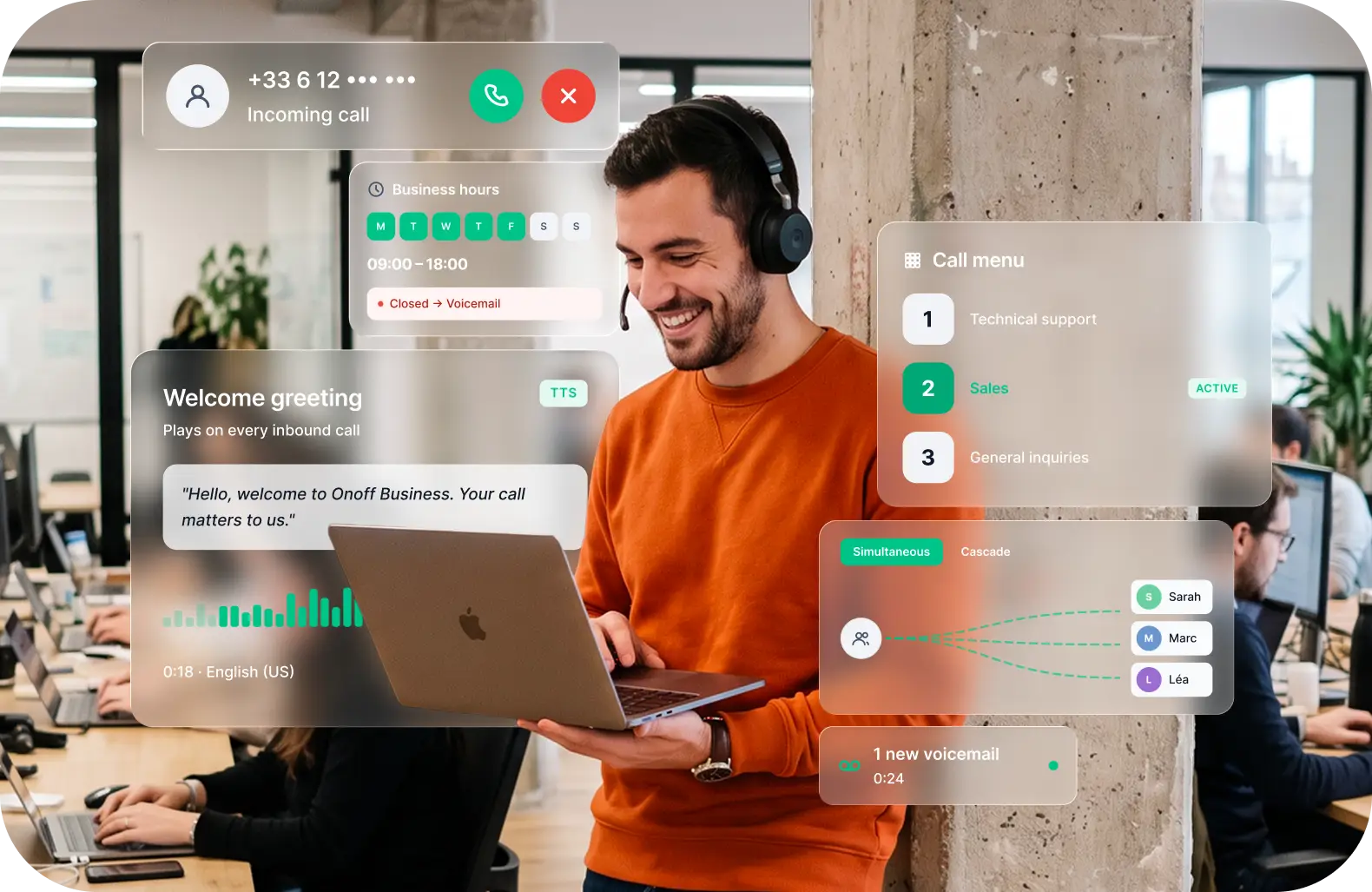
In Onoff Business the feature is called Greeting. It sits on the number rather than on a device, so the routing works whether your team answers on a mobile, in the browser or through the desktop app. For teams whose people are out of the office more often than in it, that distinction decides whether the menu gets used or worked around.
- Open the number. In the administration interface, go to Numbers and select the business number the menu should answer.
- Turn on Greeting.
- Add the greeting. Upload an audio file, record directly, or type the text for text-to-speech. Paste one of the scripts above and change the company name.
- Assign the keys to users, groups, voicemail, an announcement or an external number.
- Set the no-input destination to your main line or a ring group.
- Add the schedule and attach a separate out-of-hours flow.
- Save and ring it.
Test it before it goes live
Ring your own number. From a mobile, on a weak signal, in a moving car with the phone on speaker.
Press every option and confirm the call lands where you think it does. Then press nothing and see where you end up. Then press 0.
Then get two people who do not work for you to call it, and ask them afterwards what they thought each option meant. This catches more than any amount of planning on paper, because you already know what “option 2” means and they do not.
Review it after a month
Three numbers in the call log tell you whether the menu works.
Which options callers choose. If one takes almost nothing, it does not belong on the menu.
How many abandon before choosing. A high rate usually means the greeting is too long.
How many press 0. This is the most useful number on the list. People pressing 0 immediately are telling you the menu does not describe what they rang about.
Set a reminder to look at this quarterly. Menus that were right in March are often wrong by September, because the business changed and the recording did not.
The UK rules worth knowing
Two things catch businesses out, and neither is about the menu itself.
Call recording. If you record calls that pass through your IVR, you are processing personal data and need a lawful basis under UK GDPR, plus you have to tell callers. The announcement at the top of the greeting is the usual mechanism, and it needs to sit in the flow before any recording starts. The ICO’s guidance on monitoring at work sets out what is expected.
Automated outbound calls are a different regime. An inbound IVR sits outside direct marketing rules. The moment you use the same system to place automated calls playing a recorded message, PECR Regulation 19 applies, and that requires prior consent from the person you are ringing. Inbound and outbound are not governed by the same rules and should not be planned as one project.
What to look for in a system
Setting aside features you will never use, the questions that decide whether an IVR gets maintained or abandoned are narrow.
Can you change it yourself? If editing the menu means raising a ticket, the menu will be wrong within three months.
Does it work on mobiles? If your team answers on their own phones and works away from a desk, an IVR designed around desk handsets will fight you the whole way.
Is routing time-aware? Business hours, weekends and bank holidays, set once.
Are the logs usable? You need to see which options are chosen and where callers drop, otherwise you are guessing.
Does it reach your CRM? Routing decisions are more useful when the record of them lands next to the deal.
Most of the value in a menu comes from getting the first four options right and then looking at the log every quarter. The platform only has to make that easy.
Still routing every call through one mobile?
Set up a menu, opening hours and voicemail on your business number in about ten minutes.