
For most sales managers, quality assurance is a game of “needle in a haystack.” You might listen to 2% of your team’s calls, hoping to stumble upon a coaching moment, while the other 98% of your customer interactions remain a total mystery.
This lack of visibility creates a “random acts of coaching” culture. Without a bird’s-eye view, it’s impossible to tell if a dip in conversion is a market trend or a specific gap in your team’s objection handling.
With the launch of the Onoff Business Call evaluation dashboard, we are helping teams move from anecdotal evidence to a standardized, scalable QA engine.
The Problem: The "Silent Majority" of Sales Calls
Traditional QA is slow and prone to human bias. When managers only evaluate the calls they “have time for,” the feedback loop breaks. Top performers don’t get the recognition they deserve, and struggling reps don’t get the specific intervention they need.
Solving the Manager’s Dilemma: From "Listening" to "Analyzing"
The new dashboard transforms raw call data into a strategic roadmap. Instead of wondering how the team is performing, managers can now see the “Why” behind the numbers.
1. Identifying the "Skill Gap" (The User Performance Overview)
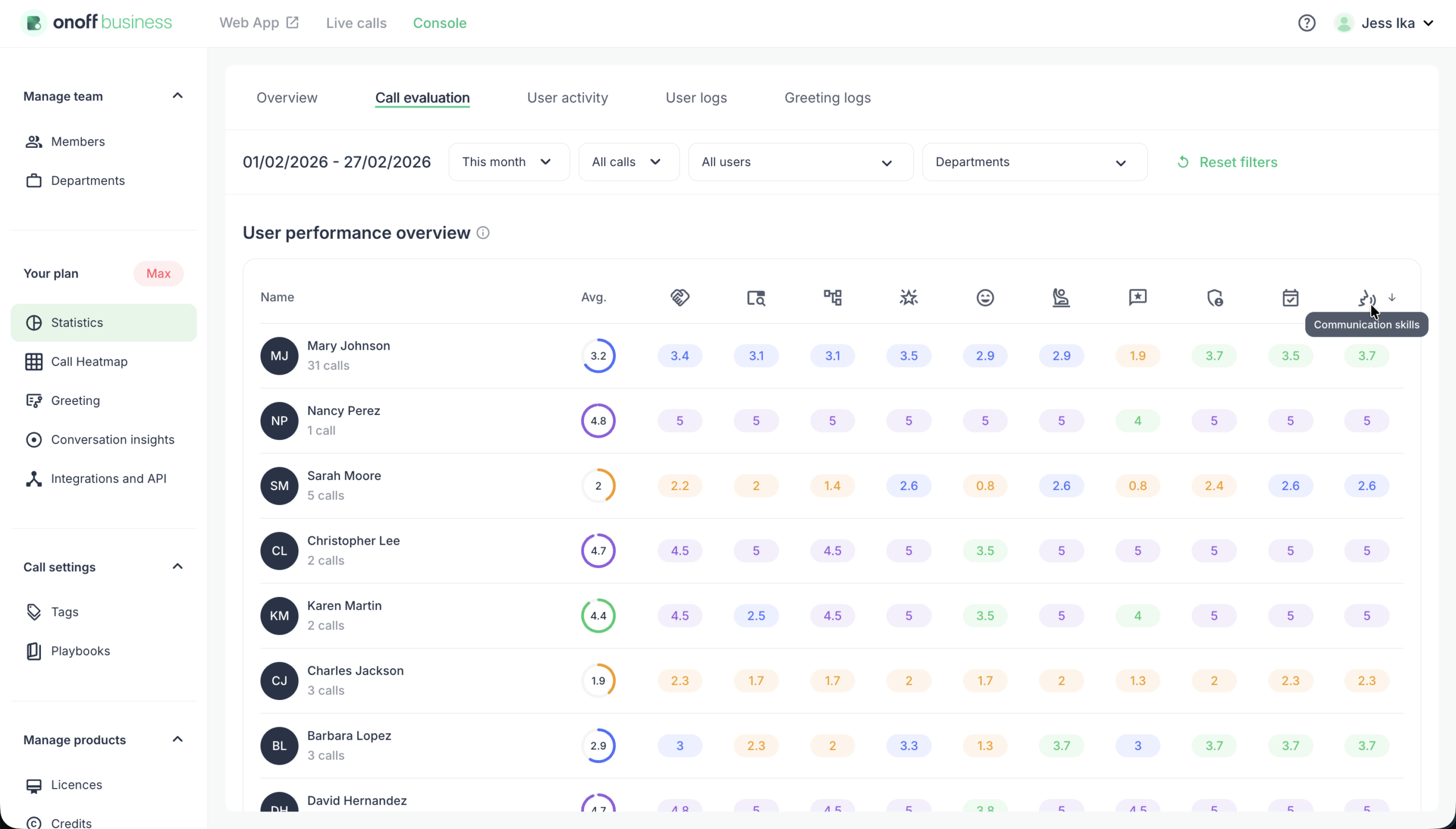
Rather than a vague “do better” session, managers can now use the User Performance Overview to see exactly which stage of the sales cycle is failing. Is the team struggling with Needs Discovery or Closing and Next Steps? By sorting by specific metrics, you can identify if a performance issue is a universal team problem or an individual coaching need.
The Gain: Targeted 1-on-1s that focus on the specific skills that drive revenue.
2. Eliminating Subjectivity (Centralized Quality Distribution)
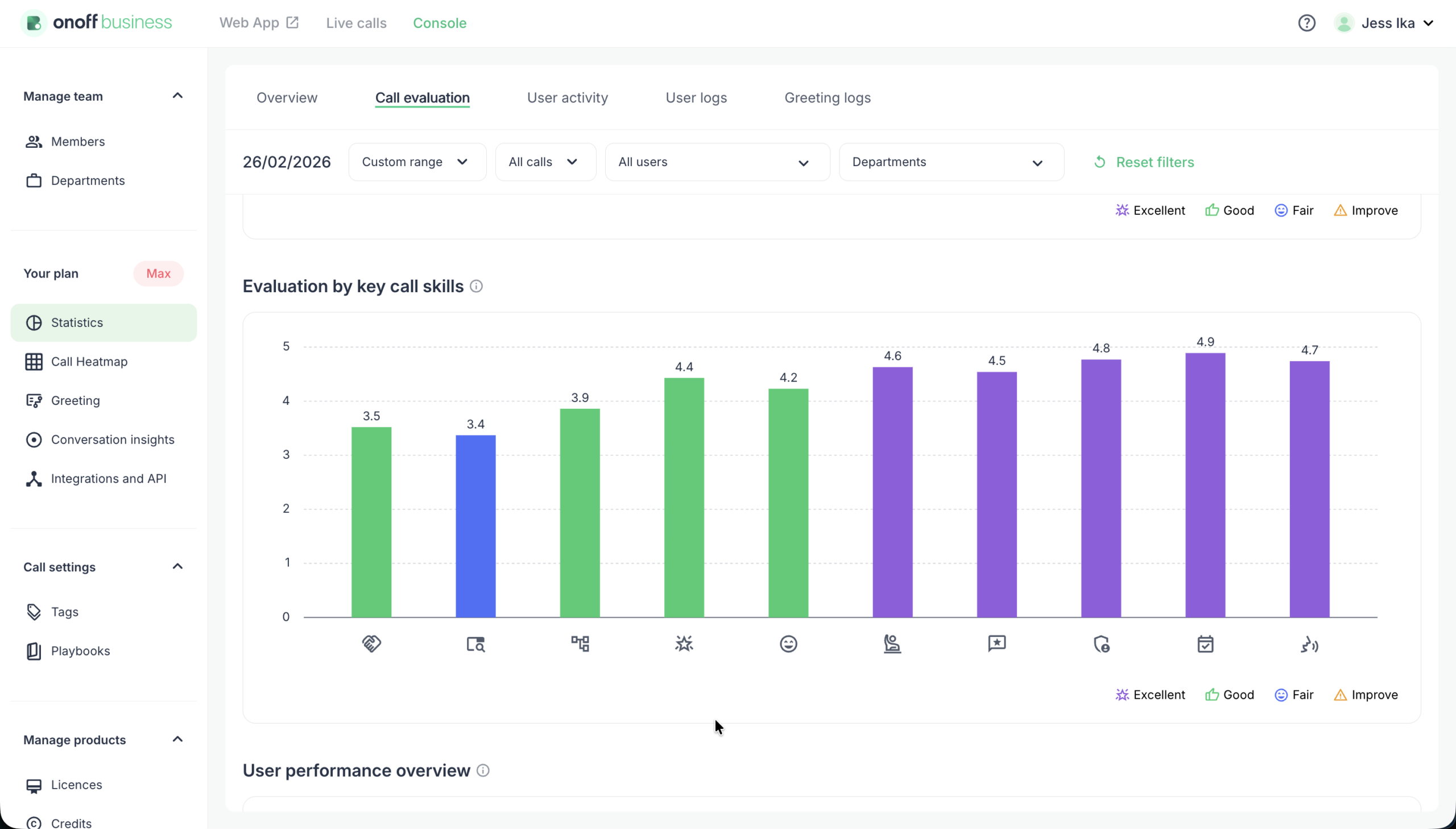
By using AI to evaluate calls against 10 predefined parameters—like Value Proposition Delivery and Rapport Building—you remove the “I feel like you’re doing well” bias. The Evaluated Calls by Rating view provides an objective benchmark of excellence across the entire department.
The Gain: A fair, transparent evaluation system that reps actually trust.
3. Measuring the "Coaching ROI" (Evaluation Trends)
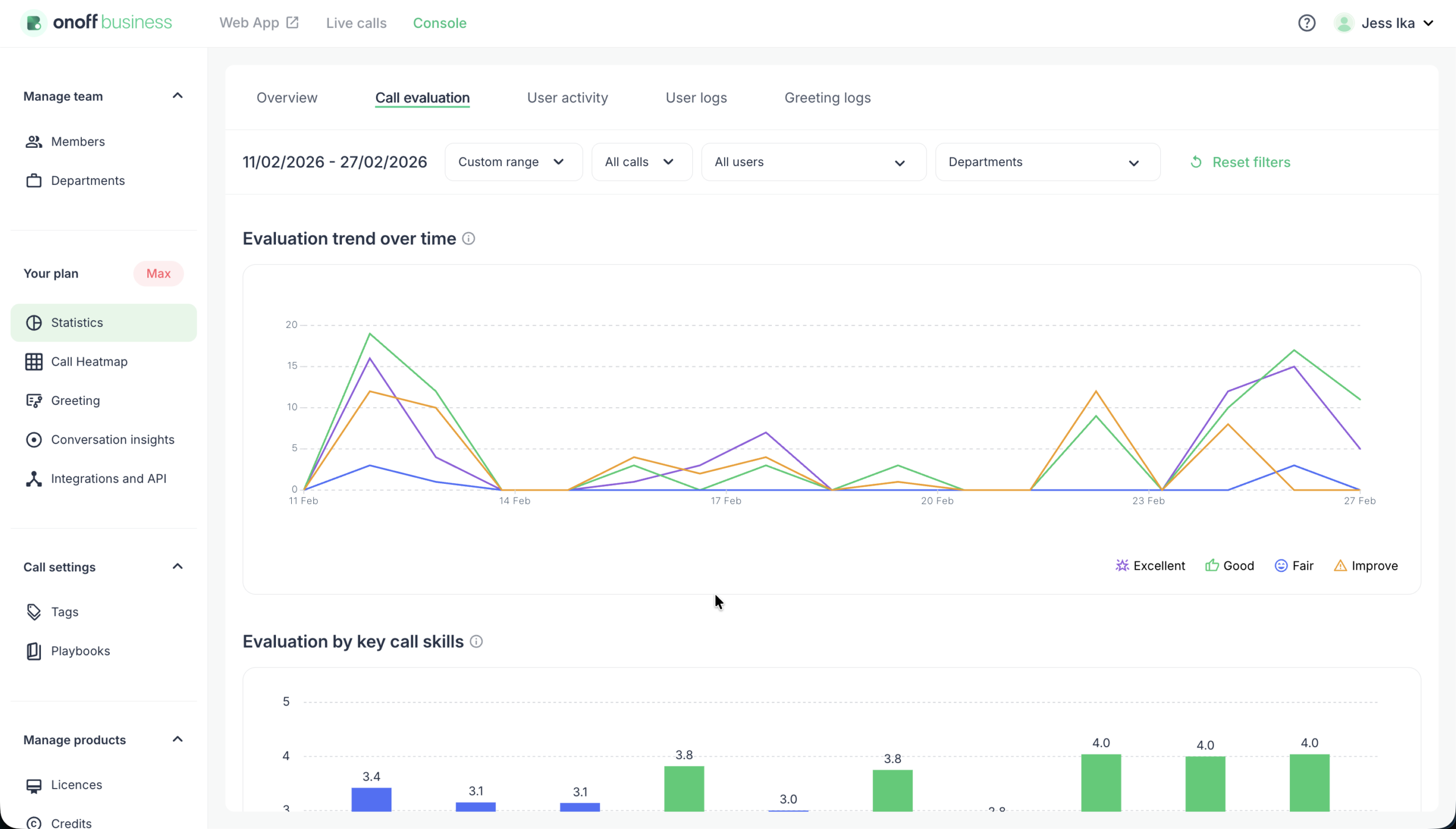
The biggest frustration for a leader is investing time in training without knowing if it “stuck.” The Evaluation Trend chart tracks quality patterns over time. If you ran a workshop on Objection Handling last Tuesday, by adjusting the date range, managers can compare performance before and after training sessions to identify changes in evaluation results.
The Gain: Proof that your coaching is moving the needle.
The User Perspective: Mastery Through Instant Feedback
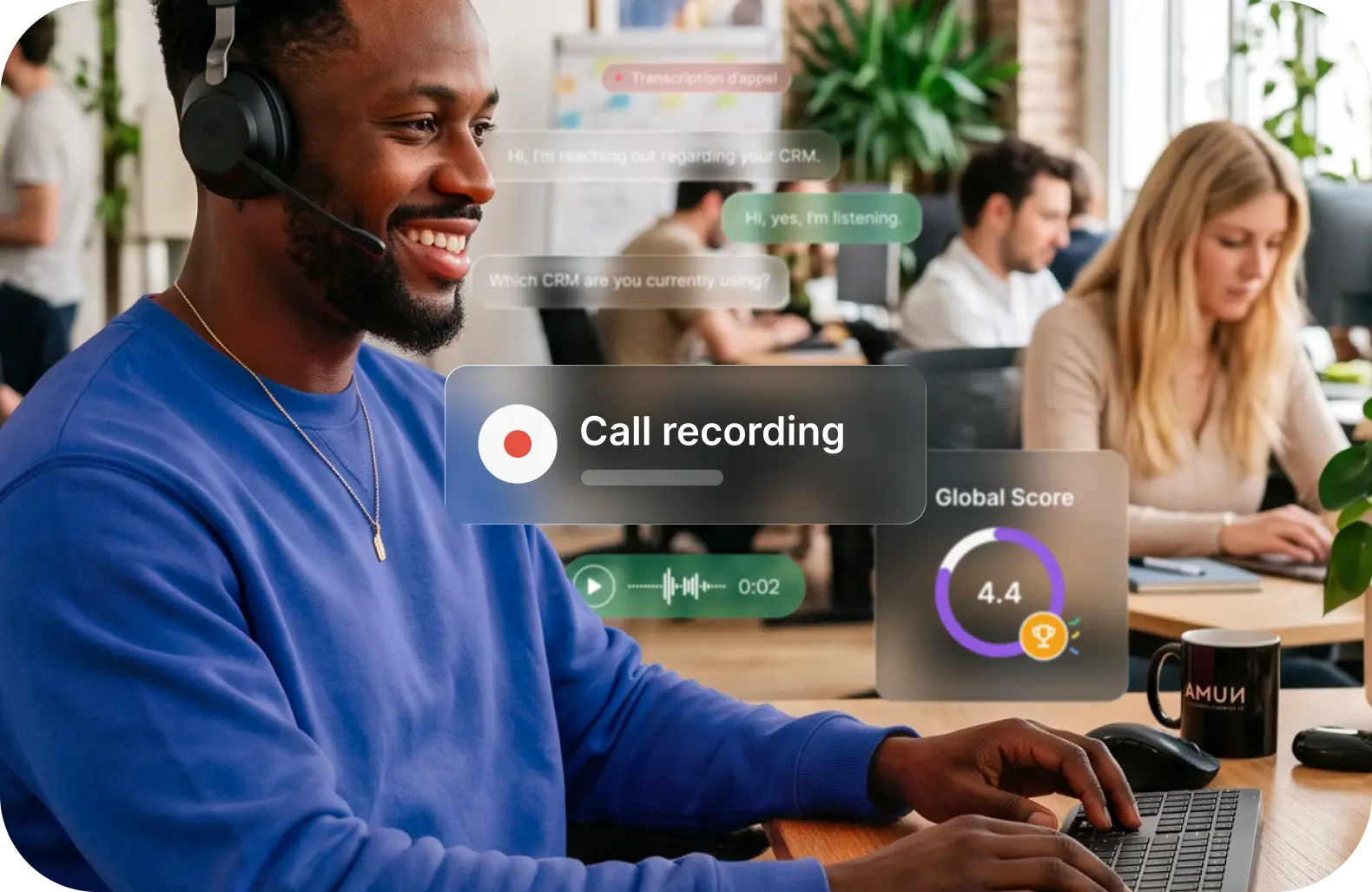
For the sales representative, the gain isn’t just “being monitored”—it’s about faster professional growth. In the old world, a rep might wait a week for feedback on a call. With Onoff’s AI evaluation, they get a qualitative summary and a score instantly.
The dashboard allows them to see where they stand relative to the team’s “Excellent” benchmark, turning QA into a gamified path toward mastery rather than a disciplinary hurdle.
Building a Scalable Coaching Culture
The Call evaluation dashboard (available on the Max Plan) isn’t just a reporting tool; it’s a culture-builder. By automating the “discovery” of errors and successes, leaders can spend their time where it matters most: in high-value coaching conversations that actually close deals.
Did you like this article ? Feel free to share it with your network
Articles récents :
Call monitoring for sales teams: how to coach reps on live calls
Most sales coaching arrives too late to change the call that needed it. This guide to call monitoring for sales managers covers when to listen, whisper or barge, how to coach reps mid-call without undermining them and how to stay on the right side of UK GDPR.
Recording phone calls in the UK: the three conditions that make it lawful
Is call recording completely lawful in the UK? Announcement wording, privacy notice text, staff notification and a retention schedule, plus eleven situations and where each one stands.
Interactive voice response: how an IVR works and how to set one up
A practical guide to designing an IVR menu: which options belong on it, what order they go in, how long the script should run, what happens out of hours, and where the call lands when nobody presses anything. With four scripts to adapt.